|
|
 |
GAMEBOY Micro Accessories

|
Game Boy micro
Wireless Adapter
Please note that only games displaying this icon on their packaging are compatible with the Gameboy Advance or Gameboy micro Wireless Adapter, with the exception of a select few games that were released prior to the Gameboy Advance Wireless Adapter's release (Mario Golf: Advance Tour, and all multiplayer Classic NES games). |
 |
Game Boy micro
Link Cable
To connect Gameboy micro systems together, you will need the Gameboy micro Link Cable. If you wish to connect the Gameboy micro with a Gameboy Advance or Gameboy Advance SP, the Gameboy micro Link Cable and the Gameboy micro Converter Connector are required. |
 |
Game Boy micro Converter Cable
Connecting to a combination of Gameboy Advance or Gameboy Advance SP, and additional Gameboy micros:
Connection type:
With cables (see below)
With Gameboy micro Wireless Adapters
With Cables - Set Up Instructions:
The Gameboy micro Link Cable and Converter Connector are required for this connection and are not currently available. For future availability, check Nintendo's Online Store. Setup instructions for this connection will be available shortly before the availablity of the Gameboy micro Link Cable and Converter Connector.
|


|
Game Boy micro
Faceplates
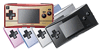
Removable faceplates that allow for personalization and serve to protect the high-resolution backlit screen.
Removing the Faceplate:
Insert the Faceplate Ejector tool into the ejector holes on the left side of the Gameboy micro. Remove the faceplate. (If you no longer have the Faceplate Ejector tool, you can use the end of a paperclip. Avoid using anything that may break and leave debris lodged in the micro.)
Replacing the Faceplate: Insert the tabs on the right end of the faceplate into the slots on the inside of the Gameboy micro and snap the left end of the faceplate into place (see below).
|
 |
Nintendo GameCube Gameboy Player
For playing Gameboy Advance games on a big TV screen |
|

|
|
|